Official IPTV Ireland Setup Guides

Easy step-by-step instructions for all devices. Get streaming in minutes — no technical knowledge required. Choose your device below to begin.

Amazon Firestick Setup Guide

Get streaming in under 5 minutes with our quick Downloader code
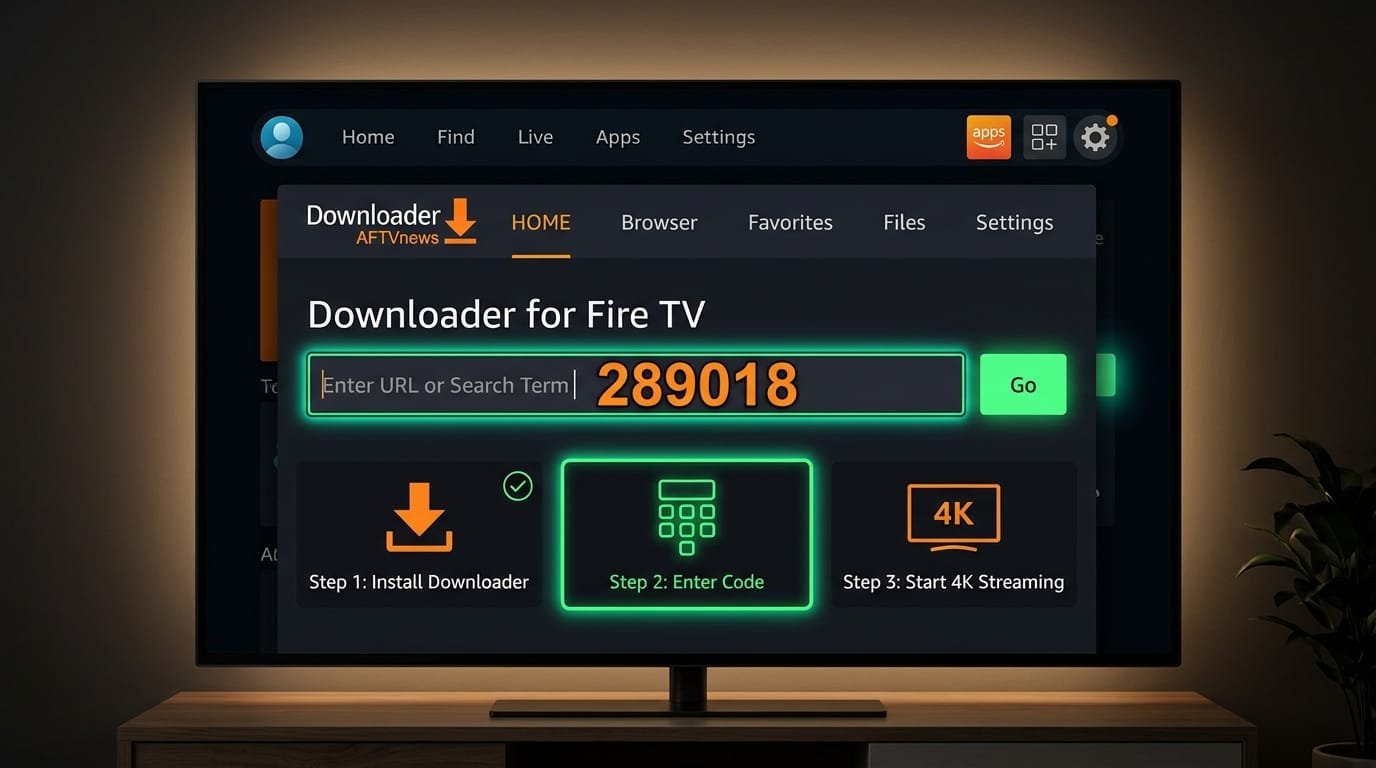
Amazon Fire TV Stick Downloader app interface showing code 289018
Instant 3-Minute Firestick Install

Enter This Code in Downloader App:

Open Downloader on your Firestick and enter the numeric shortcode below:

289018
1Downloader App installed
2Type 289018 & press GO
3Login & Stream in 4K
1

Enable Unknown Sources

Go to Settings → My Fire TV → Developer Options → Enable "Apps from Unknown Sources". If you don't see Developer Options, go to Settings → My Fire TV → About → click on "Fire TV Stick" 7 times to enable it.

Tip: This step is required to install third-party IPTV apps.
2

Download Downloader App

From your Firestick home screen, go to the Search icon and type "Downloader". Install the orange Downloader app by AFTVnews.

Tip: Downloader is a free, trusted app for sideloading.
3

Install IPTV Player

Open Downloader, enter the shortcode or URL provided after purchase. The IPTV Smarters Pro app will download. Click Install when prompted.

Tip: TiviMate is also excellent if you prefer a different interface.
4

Enter Your Credentials

Open the IPTV app. Select "Add User" or "Login with Xtream Codes API". Enter your Username, Password, and Server URL from your welcome email.

Tip: Your credentials are sent instantly after purchase. Get your subscription.
5

Start Watching!

Your channel list will load automatically. Browse categories, add favorites, and enjoy 23,000+ channels in stunning 4K quality.

Tip: Use the EPG (Electronic Program Guide) to see what's on. Browse our full channel list.

Need Help?

Our support team is available 24/7 to help you get set up. We can walk you through the process via WhatsApp, email, or even remote assistance.

Contact Support

Everything You Need to Set Up IPTV in Ireland

This page covers IPTV setup in Ireland for every popular device — from the most popular Amazon Firestick setup, through Samsung & LG Smart TV setup, to Android, iPhone & iPad, and PC or Mac. Every guide is tested by our Ireland-based support team and updated for January 2026.

What You Need Before You Start

  • An active IPTV Ireland subscription (from €14.99/month, or grab a free 24-hour trial)
  • Your welcome email with Username, Password and Server URL (Xtream Codes), or your M3U URL
  • A stable internet connection (10 Mbps for Full HD, 25 Mbps for 4K, 50 Mbps for 8K)
  • The device you want to stream on — Firestick, Smart TV, Android, iOS, or PC/Mac

Which Device is Best for IPTV in Ireland?

For most Irish households we recommend the Amazon Firestick 4K Max — it's affordable (€60–70), works on any TV with HDMI, and supports all the best IPTV apps including IPTV Smarters Pro and TiviMate. If you already own a recent Samsung or LG Smart TV, you can skip the Firestick entirely and use the built-in app store. Android TV boxes (Nvidia Shield, Xiaomi Mi Box) give the smoothest 4K experience with the most flexibility.

Recommended IPTV Apps for Ireland

The three IPTV apps we recommend, in order of popularity among Irish users:

  • IPTV Smarters Pro — free, easy, supports Xtream Codes, available on every device
  • TiviMate — best-looking interface, premium experience, Android & Fire OS only
  • Smart IPTV / SS IPTV / IBO Player — the standard for Samsung Tizen and LG WebOS Smart TVs

Troubleshooting Common IPTV Setup Issues

The two most common issues during IPTV setup in Ireland are buffering and login errors. Buffering is almost always caused by Wi-Fi speed — connecting via Ethernet usually solves it. Login errors are almost always a typo in the Username, Password, or Server URL — double-check that you copied the full URL including http:// or https://. If you're still stuck, our FAQ page has a full troubleshooting section, or contact our 24/7 support team.

Ready to Start Streaming?

If you haven't subscribed yet, head to our pricing page to compare plans starting from €14.99/month, or try our free 24-hour IPTV Ireland trial first. Already subscribed? Pick your device above and follow the steps. Want to see what you'll be watching? Browse the full channel list.